


Download Portable VLC Media Player – video player, audio player, media player, VLC, portable, free, Windows
Overview
Portable VLC Media Player is a lightweight, no-installation multimedia solution designed for Windows users who need fast, reliable playback of diverse media formats. As a portable version of the well-known VLC Media Player, it allows users to carry their preferred media playback tool on a USB drive or external storage device, enabling access across multiple computers without requiring administrative rights or system installation. The app’s primary purpose is to deliver seamless playback of audio, video, and streaming content, regardless of file format or source.
It addresses common challenges such as format incompatibility, slow startup times, and the need for a consistent media experience across different devices. This makes it ideal for users who frequently switch between workstations, use public computers, or prefer not to install software on their machines. The target audience includes students, professionals, travelers, and multimedia enthusiasts who value portability and reliability. The developer, VideoLAN, is a well-established open-source organization known for its commitment to media accessibility and cross-platform compatibility.
Real-world use cases include playing downloaded movies during travel, reviewing video content on shared office computers, or testing incomplete files during downloads. Its presence in the broader software ecosystem is significant, offering a free, secure, and powerful alternative to proprietary media players. By eliminating the need for installation, it enhances user freedom and data privacy.
Key Features & Functionality
- Universal Format Support – Plays virtually all audio and video formats, including MPEG-1, MPEG-2, MPEG-4, DivX, MP3, OGG, and more, without requiring additional codecs.
- Instant Startup – Launches in under three seconds, enabling immediate playback without delays or background processes.
- Portable Operation – Fully functional from a USB drive or external storage; no installation or system changes required.
- Streaming and Server Capabilities – Can stream media over unicast or multicast using IPv4 or IPv6, suitable for high-bandwidth local networks.
- Incomplete File Playback – Allows users to preview partially downloaded files, helping verify content authenticity during downloads.
- DVD and VCD Support – Plays DVDs and VCDs directly from disc or image files, ensuring compatibility with legacy media formats.
For example, a user downloading a large movie can begin playback before the download completes, reducing wait time and confirming the file’s legitimacy. A student presenting a video in a lab can use the portable version on any computer without needing admin access. Similarly, a network administrator can use the streaming feature to broadcast content across a local network without dedicated server software.
Interface, UX & Performance
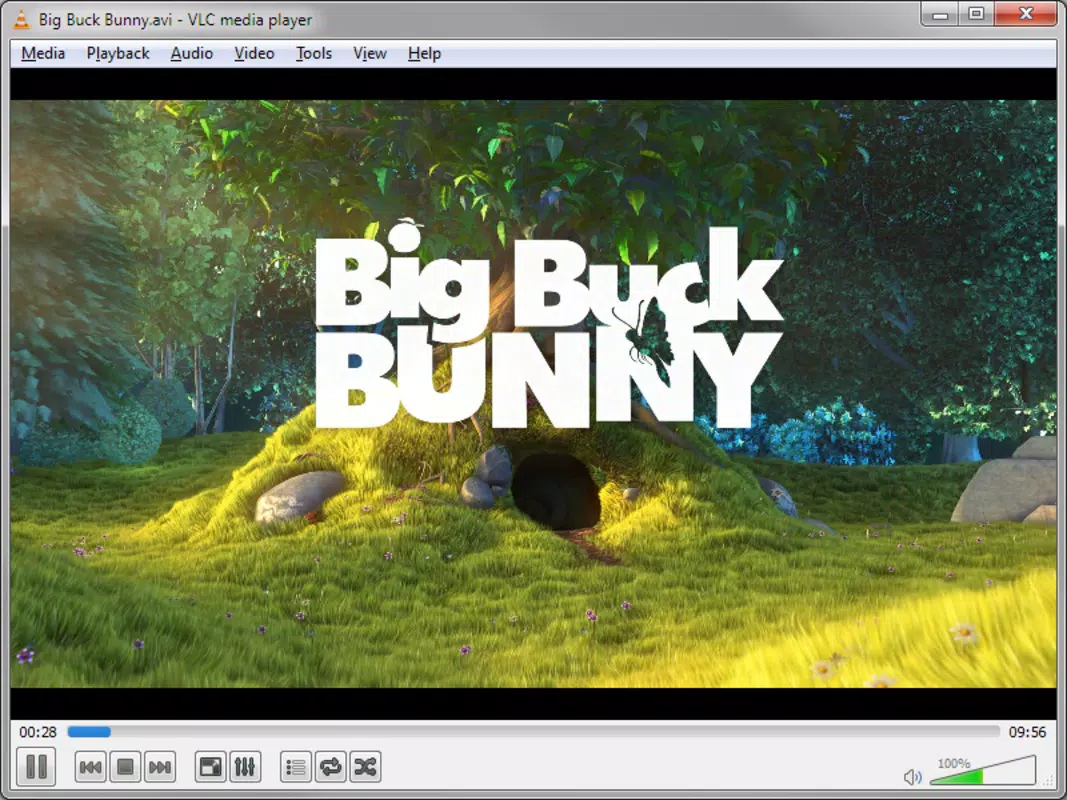
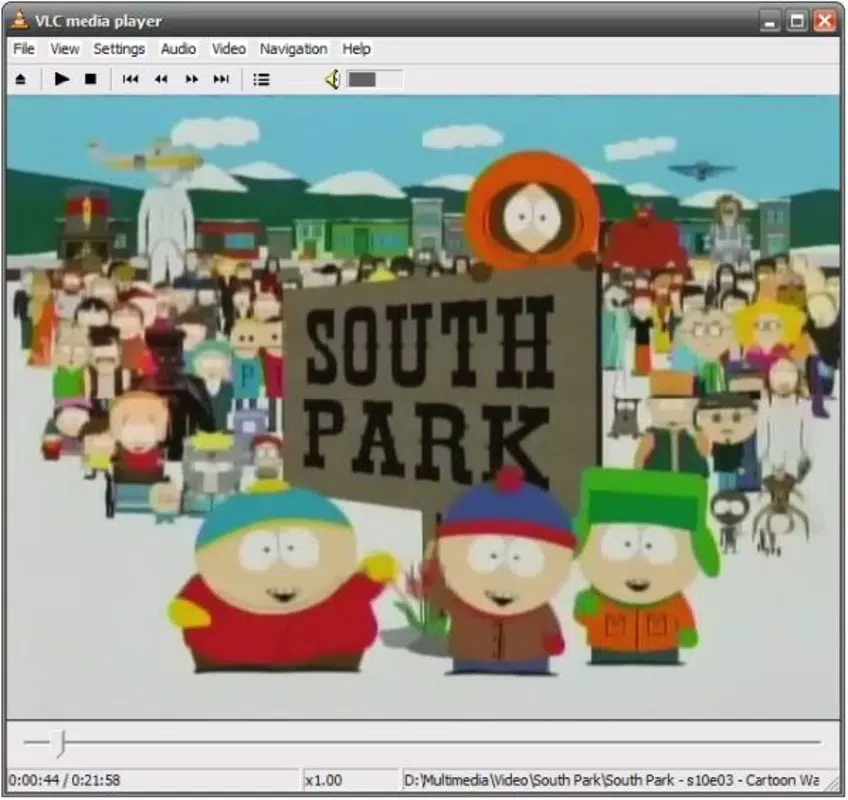
The user interface of Portable VLC Media Player is clean, minimal, and focused on functionality. It features a straightforward layout with essential playback controls—play, pause, stop, volume, and fullscreen—arranged for intuitive access. The visual style remains consistent with the original VLC design, emphasizing usability over ornamentation.
Navigating through files is simple: users can open a media file directly from the interface or drag and drop it into the player window. The playback experience is smooth, with minimal lag across different file types and resolutions. Although the developer did not list formal performance metrics, the app’s reputation for speed and efficiency suggests consistent responsiveness across mid-range and high-end Windows devices.
Stability is a notable strength, with the portable version maintaining reliability even when used across multiple systems. The lack of installation reduces the risk of conflicts with existing software. While specific testing on low-end hardware was not disclosed, the app’s lightweight footprint of 32.4 MB indicates optimized resource usage, making it suitable for older or underpowered machines.
Platform Compatibility & Technical Requirements
Portable VLC Media Player is designed exclusively for the Windows operating system. It is compatible with Windows versions released after 2007, including Windows 7, 8, 10, and 11, though the developer did not specify minimum OS requirements. The app runs as a standalone executable file, eliminating dependency on system-wide installations.
The file size is 32.4 MB, which is relatively small for a full-featured media player. This compact size contributes to its portability and quick transfer times between devices. The version currently available is 3.0.18, released on October 15, 2023. No additional system requirements were listed, but the app’s lightweight nature suggests it functions well on systems with modest hardware specifications.
Pros and Cons
Pros
- Free to download and use with no hidden costs.
- Supports an extensive range of audio and video formats without additional codecs.
- Starts up in under three seconds, enabling instant playback.
- Runs from a USB drive without installation or system changes.
- Can play incomplete or partially downloaded files.
- Lightweight at only 32.4 MB, suitable for older or low-storage devices.
Cons
- Exclusive to Windows; no support for macOS, iOS, or Android.
- Developer did not provide detailed system requirements or compatibility notes.
- Interface may appear outdated to users accustomed to modern design trends.
- Advanced features may require configuration via settings or command-line options.
- Streaming functionality may require network setup knowledge for optimal use.
FAQ
Is Portable VLC Media Player safe to download?
Yes, the app is developed by VideoLAN, a trusted open-source organization. It is free from malware and commonly used across personal and professional environments.
Can I use this app on any computer?
Yes, as long as the computer runs Windows and has a USB port. No installation is required, so it works on public or shared machines.
Does it support streaming media?
Yes, Portable VLC Media Player can stream content over local networks using unicast or multicast protocols, supporting both IPv4 and IPv6.
Is the app updated regularly?
Yes, the latest version is 3.0.18, released on October 15, 2023. VideoLAN maintains regular updates for security and feature improvements.
Can I play DVDs and VCDs with this version?
Yes, the app supports playback of DVDs and VCDs from disc or image files, making it suitable for legacy media.
Final Thoughts
Portable VLC Media Player stands out as a powerful, secure, and versatile tool for Windows users who demand flexibility and reliability in media playback. Its ability to run without installation, support for nearly every format, and instant startup make it an essential utility for anyone working across multiple devices. Whether you're a student, traveler, or digital content reviewer, this app delivers consistent performance and peace of mind.
For users seeking a free, portable, and future-proof media solution on Windows, Portable VLC Media Player offers unmatched value. Its combination of speed, compatibility, and simplicity ensures it remains a top choice in the entertainment and productivity space.
Download Portable VLC Media Player now


